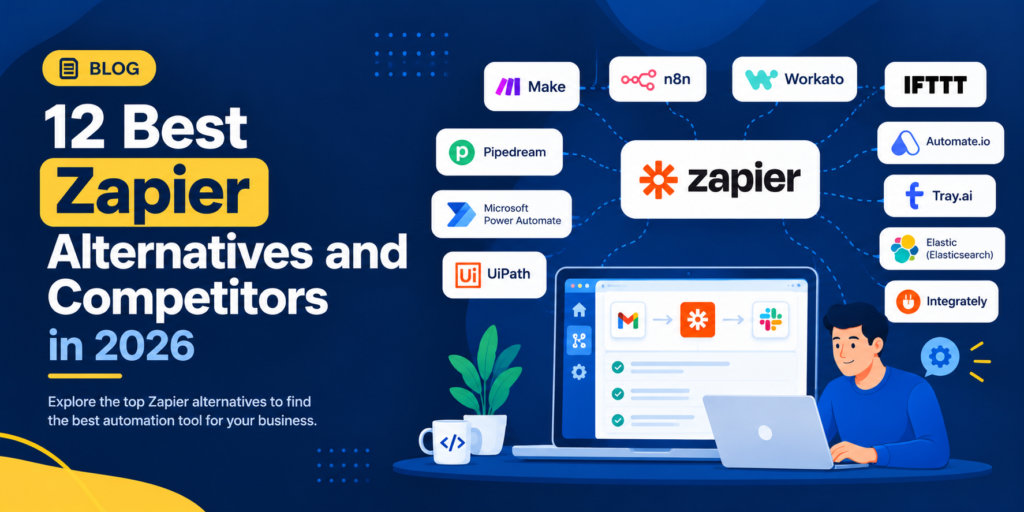
Zapier has made workflow automation accessible to businesses that want to connect their favorite applications without building every integration from scratch. Teams can automate tasks such as sending form submissions to a CRM, updating spreadsheets, creating project tasks, and notifying colleagues when something changes.
However, Zapier may not be the best fit for every workflow. As automation requirements grow, businesses may want more visual control, self-hosting options, developer flexibility, advanced data processing, or tools designed specifically for AI-powered workflows. Pricing and usage limits can also influence the decision to explore alternatives.
Fortunately, the automation market offers several capable options. Make provides a visual environment for building multi-step workflows, n8n appeals to technical teams seeking greater control, and Microsoft Power Automate suits organizations that rely heavily on Microsoft products. Other platforms focus on affordability, straightforward automation, enterprise integration, or AI-assisted processes.
In this guide, we compare 12 of the best Zapier alternatives and competitors in 2026 and beyond. You’ll learn what each platform does, which businesses it suits, its main advantages and limitations, and how to choose the right option for your needs.
What Is Zapier?
Zapier is a workflow automation platform that connects different applications and automates repetitive tasks. Users create workflows, commonly called Zaps, by defining a trigger and one or more actions.
For example, a business could create a workflow that detects a new website form submission, adds the contact to a CRM, sends a notification to a sales channel, and records the information in a spreadsheet.
Zapier supports a wide range of business applications and offers automation features for different technical skill levels. Its capabilities can help teams reduce manual data entry, standardize routine processes, and connect applications that would otherwise operate separately.
However, businesses with complex workflows, specialized infrastructure requirements, or extensive AI automation needs may prefer a different platform.
Why Look for Zapier Alternatives?
The reasons for switching depend on how a business uses automation. These are some common factors worth evaluating.
1. Automation Costs
The cost of a workflow automation platform depends on its pricing model, usage volume, plan limits, and required features. Businesses running many multi-step workflows should compare how each platform counts tasks, operations, executions, or credits.
A platform with a lower advertised starting price may not necessarily cost less for your actual workload.
2. Complex Workflow Requirements
Some workflows require branching logic, data transformations, conditional paths, error handling, or custom code. Businesses may prefer a visual workflow builder or a developer-oriented platform when their automation requirements become more sophisticated.
3. Self-Hosting and Data Control
Organizations with specific infrastructure, privacy, or data governance requirements may prefer platforms that offer self-hosting or greater control over their deployment environment. Availability and requirements vary by product and edition.
4. AI-Powered Automation
Traditional automation follows predefined triggers, conditions, and actions. AI-enabled workflows can add capabilities such as summarizing documents, extracting information, classifying requests, and assisting with decisions.
Businesses building AI-heavy processes may want tools designed for AI agents or AI workflow development rather than relying exclusively on conventional app-to-app automation.
5. Integration and Customization Needs
Your preferred automation platform should connect with the applications your business already uses. If a required integration is unavailable, you may need API access, custom code, webhooks, or another integration method.
6. More Control Over Workflows
Some teams want to inspect every workflow step, manage version changes, monitor failures, and troubleshoot execution problems. A platform that provides suitable debugging and monitoring capabilities can make complex automations easier to maintain.
Zapier Alternatives by Automation Type
Not every automation platform replaces Zapier in the same way. Some are designed for no-code app-to-app automations, some for visual branching workflows, others for developer automation, enterprise orchestration, or AI-specific processes. The best starting point is the actual workflow you need to operate.
No-Code and Visual Automation
Make, Integrately, Pabbly Connect and similar products offer different approaches to visual automation. Compare whether your required connectors, conditional logic, scheduling and testing tools are included at the intended tier rather than assuming the same capabilities across plans.
Developer, Self-Hosted and Enterprise Workflows
n8n, Pipedream, Activepieces and Workato can appeal to teams with requirements such as custom logic, API integrations, governance or infrastructure control. Self-hosting adds responsibility for credentials, upgrades, monitoring and recovery; an enterprise platform may require custom commercial terms.
AI Workflows and Human Review
Gumloop and other AI-oriented systems may fit workflows involving document extraction, classification or AI-assisted research. Relay.app and similar platforms can support human approval steps in selected processes. For financial, legal or customer-impacting actions, test human approval and error handling before automating decisions.
12 Best Zapier Alternatives and Competitors
1. Make
Best for: Businesses that need visual, multi-step workflow automation.
Make is a workflow automation platform that lets users build automations through a visual scenario editor. Instead of relying only on a simple trigger-and-action sequence, users can connect multiple modules and create workflows with conditional paths and data transformations.
This approach can be useful when a process involves several applications or requires different actions depending on the information received.
For example, an online store could use Make to process an order, update inventory, notify the fulfillment team, and send different notifications depending on the order’s status.
Key features
- Visual workflow and scenario builder
- Multi-step automation
- Conditional routing and branching
- Data transformation and application connections
- Scheduling and workflow execution controls
- Integration with supported business applications
Pros
- Makes complex workflows easier to visualize
- Supports detailed routing and data-processing logic
- Useful for connecting several applications in one scenario
- Suitable for business users who prefer a visual interface
Cons
- Complex scenarios can take time to design and troubleshoot
- Usage-based billing requires careful monitoring
- Advanced workflows may require technical understanding
Why choose Make over Zapier?
Consider Make if you want a visual way to manage multi-step workflows and control how information moves between applications. Compare the platforms using a representative workflow and calculate the cost using your expected monthly usage.
Website: https://www.make.com/
2. n8n
Best for: Technical teams that need flexible workflows and deployment control.
n8n is a workflow automation platform that combines visual workflow building with options for custom code and technical integrations. It is particularly relevant to developers, IT teams, and businesses that want greater control over how their automations operate.
Depending on the deployment and configuration, teams can use n8n to connect APIs, process data, coordinate applications, and develop AI-enabled workflows.
Its self-hosting option can appeal to organizations that want to manage their own infrastructure. However, self-hosting also creates responsibilities for deployment, updates, security, monitoring, and maintenance.
Key features
- Visual workflow editor
- API and webhook integrations
- Custom code within supported workflow nodes
- Conditional logic and data processing
- AI workflow and agent-building capabilities
- Cloud and self-hosted deployment options
Pros
- Offers substantial workflow customization
- Supports technical integrations and custom logic
- Self-hosting provides infrastructure control
- Suitable for advanced automation use cases
Cons
- Requires more technical knowledge than simpler no-code tools
- Self-hosting involves ongoing maintenance
- Complex workflows need careful monitoring and testing
Why choose n8n over Zapier?
Choose n8n if you need custom logic, API flexibility, or self-hosted automation. It is especially worth evaluating when your team has technical resources and wants to control more of its automation environment.
Website: https://n8n.io/
3. Microsoft Power Automate
Best for: Businesses using Microsoft 365 and other Microsoft services.
Microsoft Power Automate helps users automate tasks and processes across supported applications and services. It is a natural candidate for organizations that already work with products such as Microsoft Teams, SharePoint, Excel, and other Microsoft business applications.
Depending on the plan and environment, it supports cloud workflows, approvals, and desktop automation for certain repetitive computer-based tasks.
For example, a company could automate an approval process, notify employees about changes to a SharePoint list, or coordinate information between supported applications.
Key features
- Cloud-based workflow automation
- Application and service connectors
- Approval workflows
- Desktop automation capabilities
- Integration with Microsoft business tools
- Workflow Business management and monitoring
Pros
- Fits many Microsoft-centric business environments
- Supports business approvals and repetitive processes
- Offers both cloud and desktop automation capabilities
- Can connect workflows across supported services
Cons
- Licensing can be difficult to evaluate across different requirements
- Advanced automation may require technical configuration
- Some connectors and features require specific licenses
- Non-Microsoft workflows may require additional evaluation
Why choose Power Automate over Zapier?
Power Automate is worth considering when your organization already uses Microsoft products extensively or needs desktop automation alongside cloud workflows. Review connector availability and licensing requirements before migrating.
Website: https://www.microsoft.com/power-platform/products/power-automate
4. Pabbly Connect
Best for: Small businesses looking for an alternative automation pricing model.
Pabbly Connect helps users connect applications and automate workflows without building every integration manually. It is relevant to small businesses, freelancers, and marketing teams that want to coordinate tasks across supported applications.
Potential use cases include capturing leads, sending notifications, updating records, and moving information between business tools.
Because automation platforms use different billing models, businesses should compare Pabbly Connect’s current plan limits with the number and type of workflows they intend to run.
Key features
- Multi-step workflow automation
- Application integrations
- Conditional workflow logic
- Data transfer between connected applications
- Scheduling and automation controls
- Workflow execution management
Pros
- Designed to make application automation accessible
- Can suit small-business workflows
- Offers an alternative to task-based automation pricing structures
- Useful for coordinating routine business activities
Cons
- Integration coverage should be checked for every required application
- Complex workflows may require testing and troubleshooting
- Current plan limits and included features need verification
Why choose Pabbly Connect over Zapier?
Evaluate Pabbly Connect if cost is a major consideration and its pricing model better matches your workload. Compare the exact number of supported tasks, workflows, and integrations included in the plans you are considering.
Website: https://www.pabbly.com/connect/
5. IFTTT
Best for: Individuals and small teams automating simple tasks.
IFTTT, short for “If This Then That,” focuses on connecting services through straightforward conditional automations called Applets. It is often suitable for personal productivity, connected devices, notifications, and relatively simple cross-service tasks.
For example, a user might automate a notification when a particular event occurs or connect compatible smart-home devices with supported online services.
IFTTT is not necessarily a direct substitute for complex enterprise workflows, but its straightforward approach makes it relevant when a business or individual only needs basic automation.
Key features
- Trigger-based Applets
- Connections between supported services
- Personal productivity automations
- Compatible smart-home integrations
- Conditional automation options
- Service-specific workflows
Pros
- Easy to understand for basic automation
- Useful for personal and lightweight workflows
- Connects supported online services and devices
- Suitable for straightforward trigger-based tasks
Cons
- Less suitable for sophisticated enterprise workflows
- Complex data processing may require another platform
- Capabilities depend on supported services and plan limits
Why choose IFTTT over Zapier?
Consider IFTTT if your requirements involve simple personal tasks, connected services, or smart-device automations. For business-critical processes with extensive branching or detailed data handling, compare more advanced platforms as well.
Website: https://ifttt.com/
6. Workato
Best for: Enterprises that need managed integration and business process automation.
Workato is an enterprise automation and integration platform designed to connect applications, data, and business processes. It is relevant to organizations that need automation across departments and want governance and administrative controls for broader deployments.
Possible use cases include coordinating CRM and finance systems, synchronizing enterprise data, and automating processes across HR, IT, sales, and customer operations.
Workato is generally better suited to organizations with substantial integration needs than to individuals looking for a basic automation tool.
Key features
- Enterprise application integrations
- Multi-step business process automation
- Data synchronization
- Integration management and governance capabilities
- Automation across business departments
- Support for enterprise workflows
Pros
- Designed for complex business integrations
- Supports cross-department automation
- Relevant to enterprise governance requirements
- Can coordinate processes across multiple systems
Cons
- May be more than a small business needs
- Pricing and implementation require careful evaluation
- Complex enterprise deployments can require specialist expertise
Why choose Workato over Zapier?
Consider Workato if you need enterprise-grade integration and automation across several departments. Evaluate its governance, implementation requirements, support, and total cost against your organization’s operational needs.
Website: https://www.workato.com/
7. Pipedream
Best for: Developers building API-driven automations and integrations.
Pipedream is an integration and workflow platform aimed at developers who need to connect APIs, process events, and execute custom logic. It provides a more code-friendly approach than many traditional no-code automation tools.
Developers can use it to build workflows around webhooks, application events, APIs, and supported code execution environments.
For example, a development team might receive a webhook, transform the incoming data, call an external API, and send the result to another application.
Key features
- API and webhook-based workflows
- Code steps for custom logic
- Event-driven automation
- Application integrations
- Data transformation
- Developer-oriented workflow execution
Pros
- Flexible for API-driven processes
- Useful for custom integrations
- Supports developers who want to work with code
- Suitable for event-based automation
Cons
- Less approachable for users who want a completely no-code experience
- Custom code can introduce maintenance requirements
- Usage limits and execution costs should be evaluated
Why choose Pipedream over Zapier?
Pipedream is worth considering if your team needs API flexibility and custom code rather than relying primarily on prebuilt automation steps. It can be particularly useful when building integrations around developer tools or custom applications.
Website: https://pipedream.com/
8. Activepieces
Best for: Teams interested in flexible, open-source-oriented automation.
Activepieces is an automation platform that helps users connect applications and create workflows through a visual interface. Its open-source approach and available deployment options make it worth evaluating for organizations that want flexibility in how they use automation software.
Businesses can explore it for routine application integrations, data movement, and workflows that connect multiple services.
Before choosing a deployment, check the current differences between the hosted offering and self-hosted options, including the features and support available for your requirements.
Key features
- Visual workflow builder
- Application integrations
- Multi-step automation
- Open-source components
- AI-related automation capabilities
- Available self-hosting options
Pros
- Offers an alternative to proprietary automation platforms
- Visual workflow building can reduce the need for custom development
- Relevant to teams exploring self-hosting
- Supports a variety of business automation scenarios
Cons
- Integration coverage may differ from larger platforms
- Self-hosting requires technical maintenance
- Advanced use cases may need configuration or development
Why choose Activepieces over Zapier?
Evaluate Activepieces if open-source flexibility, deployment control, or a visual workflow builder is important to your team. Confirm that it supports the applications and operational controls you require.
Website: https://www.activepieces.com/
9. Albato
Best for: Businesses connecting marketing, sales, and productivity applications.
Albato is an integration and automation platform that connects supported applications through configurable workflows. It can be relevant to businesses that want to automate data transfers and repetitive actions without building integrations from scratch.
Potential workflows include sending lead information between marketing and sales tools, synchronizing records, and triggering notifications when events occur.
Its suitability depends on the integrations available for your applications and the complexity of your automation requirements.
Key features
- Application integrations
- Multi-step automations
- Trigger-and-action workflows
- Data transfer between services
- Automation configuration tools
- Support for business application workflows
Pros
- Useful for connecting supported applications
- Can reduce manual data transfer
- Suitable for common marketing and sales processes
- Offers another option for evaluating automation costs
Cons
- Not every application or integration requirement will be supported
- More complex workflows may require testing
- Plan limits and available features should be checked
Why choose Albato over Zapier?
Albato is worth comparing if your main goal is connecting a particular group of business applications. Test your most important workflows and compare the platform’s total cost with equivalent automations in Zapier.
Website: Albato
10. Integrately
Best for: Users who want a straightforward way to automate common application workflows.
Integrately focuses on connecting applications through ready-made automation options and configurable workflows. Its approach can appeal to business users who want to automate routine tasks without designing every workflow step from the beginning.
Typical scenarios may include moving contacts between systems, updating records, and sending notifications when an event occurs.
Before selecting it, confirm that the required applications, triggers, actions, and workflow conditions are supported.
Key features
- Ready-made automation options
- Application integrations
- Trigger-and-action workflows
- Multi-step automation capabilities
- Data synchronization
- Workflow configuration
Pros
- Can simplify common automation setup
- Useful for routine business processes
- Reduces the need to create every integration manually
- Suitable for users who prefer a guided workflow setup
Cons
- Available actions depend on the connected applications
- Complex custom workflows may need another solution
- Plan limits should be checked against expected usage
Why choose Integrately over Zapier?
Consider Integrately if you want to set up common workflows quickly and its supported integrations cover your needs. Compare a few real workflows before moving your existing automations.
Website: Integrately
11. Relay.app
Best for: Teams building workflows that combine automation with human review.
Relay.app is a workflow automation platform that is relevant when business processes need both automated actions and human involvement. This can be useful when a workflow should pause for approval, collect a decision, or allow a person to review information before the next step.
For example, a sales team could prepare a customer follow-up automatically but require a representative to review the message before it is sent.
This approach can be valuable when automation needs to improve productivity without removing human oversight from important decisions.
Key features
- Visual workflow creation
- Multi-step automation
- Human approval and review steps
- Application integrations
- AI-assisted workflow capabilities
- Coordination of automated and manual tasks
Pros
- Useful for workflows requiring human oversight
- Can combine automated actions with approval steps
- Relevant to sales, operations, and administrative processes
- Helps structure repeatable team workflows
Cons
- Suitability depends on the available integrations
- Advanced workflow needs may require careful configuration
- Features and plan availability should be verified
Why choose Relay.app over Zapier?
Relay.app is worth evaluating if your workflows require human approvals or review steps alongside automation. It may be especially relevant when a fully automatic process would introduce unnecessary risk.
Website: Relay.app
12. Gumloop
Best for: Teams building AI-powered workflows through a visual interface.
Gumloop is an AI-focused workflow platform designed to help users build workflows that incorporate AI tasks. It is relevant to teams that want to combine data collection, information processing, and AI-assisted steps in a visual environment.
Possible use cases include extracting information from documents, summarizing research, processing business data, and supporting repetitive knowledge-work tasks.
Gumloop and traditional automation platforms overlap, but they are not identical. A conventional integration tool may be better for predictable application-to-application processes, while an AI-oriented platform may be more appropriate when the workflow requires language-model processing or other AI capabilities.
Key features
- Visual AI workflow building
- AI-enabled processing steps
- Data extraction and transformation workflows
- Connections to supported applications and services
- Multi-step workflow design
- Support for AI-related business tasks
Pros
- Focuses on AI-enabled workflow use cases
- Visual design can help users structure AI processes
- Useful for information processing and repetitive knowledge work
- Can complement conventional automation platforms
Cons
- AI usage and execution costs require careful monitoring
- AI outputs may need validation and human review
- Not every traditional integration requirement will fit its strengths
- Advanced workflows should be tested for reliability
Why choose Gumloop over Zapier?
Consider Gumloop if your primary goal is building AI-heavy workflows rather than simply moving information between applications. Evaluate the available integrations, AI capabilities, execution costs, and safeguards against incorrect outputs.
Website: https://www.gumloop.com/
Three Practical Zapier Replacement Scenarios
These scenarios are editorial examples, not claims of first-hand tool benchmarking or real customer outcomes. They show how workflow complexity changes the vendor shortlist.
Scenario 1: A Small Business Captures Website Leads
A business needs to send form submissions to a CRM, alert a salesperson and log a record. Compare straightforward automation tools for connector support, duplicate prevention and setup speed. A platform that offers dozens of advanced features may be unnecessary if this is the entire workload.
Scenario 2: An Ecommerce Team Handles Order Exceptions
A store needs to check a new order, verify stock, route exceptions and notify a warehouse system. Make or n8n could be worth evaluating for branching, data transformation and failure handling. Test partial failures so an order is not accidentally processed or charged twice.
Scenario 3: An Operations Team Uses AI to Classify Requests
A team wants to classify incoming messages and draft follow-up actions using an AI model. Compare AI-oriented tooling, model costs, access to sensitive data and whether a human can approve outputs before they affect customers. Measure accuracy against representative examples instead of assuming the AI step is reliable by default.
Zapier Alternatives Comparison Table
Use this overview to narrow down your options before evaluating individual platforms in more detail.
| Software | Best suited for | Main strength |
| Make | Multi-step business workflows | Visual scenario builder |
| n8n | Technical teams | Custom logic and deployment flexibility |
| Microsoft Power Automate | Microsoft-centric organizations | Microsoft ecosystem and desktop automation |
| Pabbly Connect | Budget-conscious businesses | Alternative automation pricing model |
| IFTTT | Individuals and simple workflows | Straightforward trigger-based automation |
| Workato | Large organizations | Enterprise integration and process automation |
| Pipedream | Developers | API-driven and code-based workflows |
| Activepieces | Flexible automation deployments | Open-source-oriented approach |
| Albato | Marketing and sales teams | Application connections |
| Integrately | Common business workflows | Ready-made automation options |
| Relay.app | Teams needing approvals | Human-in-the-loop workflows |
| Gumloop | AI-focused teams | Visual AI workflow building |
Capabilities, pricing, usage limits, and deployment options can change. Verify the current details on each vendor’s website before choosing a platform.
Zapier Alternatives Pricing: Tasks vs Operations vs Executions
Pricing units are not interchangeable. A workflow run might contain several actions, modules or steps, and some vendors count filters, polling, code or retries differently. Use the vendor’s exact billing rules and the same event volume rather than comparing headline prices per 1,000 units.
| Illustrative workflow | Sample count |
| Incoming form submissions per month | 2,000 |
| Action steps successfully run per submission | 3 |
| Estimated action-step events | 6,000 |
| Additional retries or failed steps | Variable by platform |
Calculate Your Actual Workload
In this hypothetical example, 2,000 submissions times three action steps equals 6,000 successful action-step events. That does not automatically equal 6,000 billable Zapier tasks, Make credits or n8n executions. Map each step to each vendor’s current counting rules, then add retry, polling and AI charges as applicable.
Check Official Metering Definitions
The Zapier task-usage documentation explains how its billing units work. For n8n, review the official n8n pricing page for execution-based plan details and deployment options. Confirm current limits in your region and subscription.
Account for Hosting, Monitoring and Failed Runs
If you self-host, include hosting, backups, secrets management, infrastructure updates and staff time. Compare whether retries, human approval steps, logging retention and support come with the plan. A nominally free deployment can become expensive when critical integrations fail.
How to Choose the Best Zapier Alternative
The right automation platform is the one that handles your actual workflows reliably, fits your team’s technical skills, and remains practical as your usage grows. Use the following criteria to compare the options.
Identify the Work You Want to Automate
Start by documenting the process you want to improve. Is it a simple notification, a multi-step sales workflow, an API integration, an approval process, or an AI-driven task?
A clear use case makes it easier to eliminate tools that do not meet your requirements.
Check Application Integrations
Create a list of the applications involved in your workflows. Confirm that the alternative supports the triggers, actions, data fields, and authentication methods you need.
If an integration is missing, check whether an API, webhook, or custom code step can solve the problem.
Compare the Real Cost
Review the pricing model and estimate your expected monthly usage. Some platforms charge according to tasks, operations, executions, credits, or other units.
Include any additional expenses associated with premium connectors, AI usage, hosting, support, and implementation. Compare equivalent workflows rather than headline prices alone.
Evaluate Workflow Complexity
If you only need a few simple automations, a straightforward platform may be sufficient. For workflows involving multiple branches, transformations, custom code, or error handling, evaluate tools designed for more complex automation.
Decide Whether You Need Self-Hosting
Self-hosting can provide greater control over infrastructure, but it also requires maintenance and security management. A hosted service may be more practical if your team does not want to operate automation infrastructure.
Consider your organization’s technical resources and data requirements before deciding.
Assess AI Capabilities
If your workflows require summarization, extraction, classification, or AI-assisted decisions, compare the platforms’ AI features and usage costs.
Test AI-generated outputs against realistic examples and add human review where incorrect results could affect customers, finances, or important business decisions.
Test Before Migrating
Build a small version of one important workflow in your preferred alternative. Test normal scenarios, missing data, API errors, duplicate events, and other edge cases.
Also check how the platform logs failures, retries tasks, and alerts your team when something goes wrong.
How to Switch From Zapier to Another Automation Tool
Moving to a new platform requires more than recreating a few workflows. A structured migration can help reduce disruption.
- Audit your existing Zaps. Document each trigger, action, filter, application connection, and business purpose.
- Prioritize important workflows. Start with the automations that save the most time or support critical business operations.
- Map equivalent features. Confirm that your chosen alternative supports the required triggers, actions, and data transformations.
- Rebuild and test workflows. Use sample data to verify that each step behaves as expected.
- Review permissions and credentials. Reconnect applications securely and check access permissions.
- Run controlled tests. Where practical, validate the replacement before disabling the original workflow.
- Monitor the migration. Check logs, error rates, duplicate actions, and data accuracy after switching.
Not every Zap can be transferred automatically. Some workflows may require redesign because the alternative uses different triggers, execution rules, or integration capabilities.
Automation Reliability Checklist: Avoid Duplicate Actions and Lost Records
Use Unique IDs and Idempotent Actions
When an event is retried or delivered more than once, the automation should not create duplicate CRM contacts or double-submit an order. Pass a stable event or transaction identifier through the workflow and check whether the destination has already processed it.
Test Failures at Every Important Step
Simulate API timeouts, missing values, expired credentials, rate limits and an unavailable destination. Confirm what is retried, what goes into a failure queue and when a human receives an alert. Record which actions are safe to repeat.
Secure Webhooks, Keys and Personal Data
Use minimum necessary permissions, secure storage for API keys and appropriate privacy controls. Do not place passwords or personal data in public webhook URLs, debugging messages or broadly accessible logs.
Run Old and New Workflows Without Double Processing
When migrating from Zapier, choose a controlled cutover method. Parallel testing can be useful with test data, but running both production automations against the same event can create duplicates. Define which platform is authoritative for each workflow before switching.
Frequently Asked Questions
What is the best Zapier alternative in 2026?
The best option depends on your needs. Make is worth considering for visual multi-step automation, n8n for technical flexibility, Microsoft Power Automate for Microsoft-based environments, Workato for enterprise integration, and Gumloop for AI-focused workflows.
Are there free Zapier alternatives?
Some automation platforms offer free plans, free trials, open-source options, or self-hosted editions. Availability, limits, and included features vary. Check each vendor’s current offering to determine whether it can support your workload without requiring a paid plan.
Which Zapier alternative is best for complex workflows?
Make, n8n, Pipedream, and Workato are worth evaluating for more complex automation. The right choice depends on whether you prioritize visual workflow design, custom code, enterprise integrations, or deployment control.
Which Zapier alternative is best for beginners?
Make, Integrately, IFTTT, and other visual automation platforms may suit users who want to begin with straightforward workflows. The easiest option will depend on your applications, the available templates, and how much customization you need.
Is n8n better than Zapier?
Neither is universally better. n8n is particularly relevant to users who want custom workflows, technical flexibility, or self-hosting options. Zapier may be preferable for users who value its integration ecosystem and straightforward setup. Compare your own workflows and operating requirements.
Is Make cheaper than Zapier?
Make may be more economical for some workflows, but the outcome depends on your usage and the platforms’ billing models. Compare equivalent scenarios, including the number of operations, tasks, or executions involved, and confirm current plan limits before deciding.
Can I use AI with Zapier alternatives?
Yes. Some alternatives offer AI-related workflow features or integrations with AI services. Gumloop focuses on AI workflows, while tools such as n8n and other automation platforms can support AI-enabled processes depending on their integrations and configuration.
Can I migrate my Zaps to another platform?
You may be able to recreate many workflows, but a direct one-click migration is not guaranteed. Differences in triggers, actions, data structures, and integrations can require manual rebuilding and testing.
Are open-source Zapier alternatives available?
Yes. n8n and Activepieces are options worth exploring if open-source components or self-hosting are important to you. Check the current licensing, deployment requirements, and feature differences before adopting either platform.
What should I compare before choosing an automation tool?
Compare integrations, workflow complexity, usage limits, total cost, technical requirements, error handling, security, support, and scalability. If your workflow uses AI, also evaluate output quality, usage costs, and the controls available for reviewing results.
Final Verdict
Zapier remains a useful choice for connecting applications and automating repetitive work, but it is not the only option available. The right alternative depends on the type of automation you need and the trade-offs your organization is willing to make.
Make is a strong candidate for visual workflows, n8n for technical control, Microsoft Power Automate for Microsoft-centric businesses, and Workato for enterprise integration. Pipedream is relevant to developers, Relay.app to workflows requiring human review, and Gumloop to AI-focused automation. Pabbly Connect, IFTTT, Activepieces, Albato, and Integrately address other needs across business and personal automation.
Before committing, test a representative workflow, compare total costs, and verify the integrations and controls your business depends on. A carefully selected automation platform can help reduce repetitive work and connect business processes without adding unnecessary complexity.
Explore more software comparisons and software alternatives on SimilarTools to find tools that fit your business requirements.